Walk into almost any veterinary practice and ask how inventory gets managed, and you’ll get a different answer every time. A whiteboard in the back. A spreadsheet someone built three years ago and half the team has stopped updating. A want list by the supply closet. The Practice Management System (PIMS). Some combination of all of the above, held together by one person who just knows.
The methods may differ, but the frustrations share a familiar rhythm: supplies running out mid-week, orders showing up too late or far too large, and hours of tedious work that never quite deliver the clarity you’re chasing. Inventory management is one of those essential practice functions everyone recognizes as vital, yet somehow, it always seems just out of reach to truly master.
Part of the reason is that most of the tools available weren’t originally designed with veterinary inventory in mind. Practice information management systems are built around patient care workflows. Spreadsheets are built around… nothing in particular. Neither gives you the predictive capability that real inventory management actually requires.
This article is about what that capability looks like, and how understanding the difference between recording inventory and managing it can change what’s possible for your practice.
First: What Your PIMS Was Built to Do
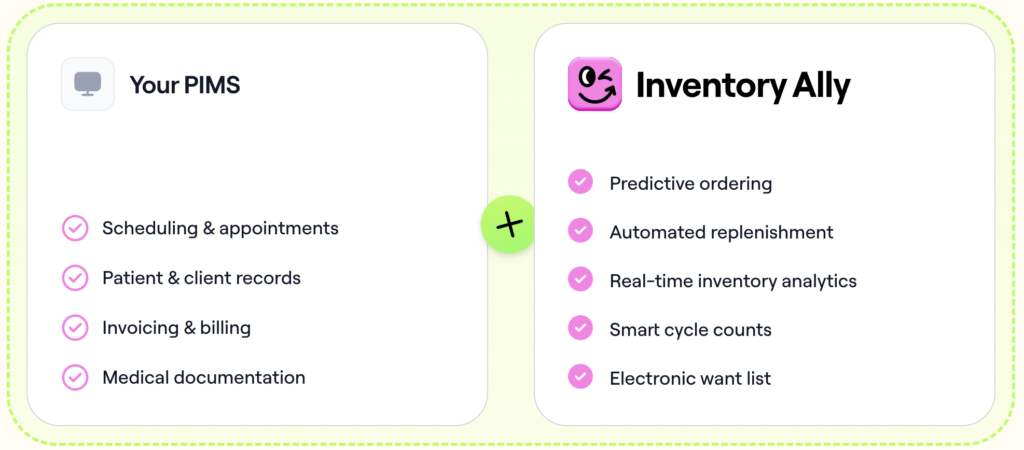
Let’s start with what’s genuinely great about your PIMS, because there’s a lot. Practice information management systems were designed to be the operational backbone of a veterinary hospital. Patient records, appointment scheduling, billing, invoicing, medical documentation, treatment histories, client communication — all of it flows through your PIMS. It’s where your clinical data lives, where your team collaborates, and where your business runs day to day.
PIMS vendors have invested years building out these core capabilities, and for good reason: they’re foundational to safe, effective patient care. Without a reliable PIMS, the clinical side of a veterinary practice would grind to a halt.
Most PIMS include an inventory module. You can log product usage, set reorder tags, and track what gets dispensed to clients. On the surface, that sounds like inventory management. But here’s the thing: a module built to support a system designed primarily for patient records and scheduling will always reflect those priorities first. Inventory is, in that context, a supporting feature, not the main event.
Think of it this way: a great general practitioner is a vital part of human healthcare. But when you need surgery, you want a surgeon. Specialization exists for a reason.
Read More: Ways to Track Veterinary Hospital Inventory
Where the Gap Appears: The Limits of Transactional Tracking
The inventory data inside your PIMS is transactional. That means it captures what gets sold or dispensed to clients and not much else. That’s a significant blind spot in a veterinary hospital, where a large portion of inventory is consumed in-house during procedures, treatments, and routine care without ever appearing on a client invoice.
Surgical supplies, consumables, fluids, gloves, syringes — these products move constantly, but they don’t always generate a transaction that your PIMS records. If you’re relying solely on PIMS data to understand your inventory picture, you’re working from an incomplete dataset from the very start.
The Problem with Static Reorder Points
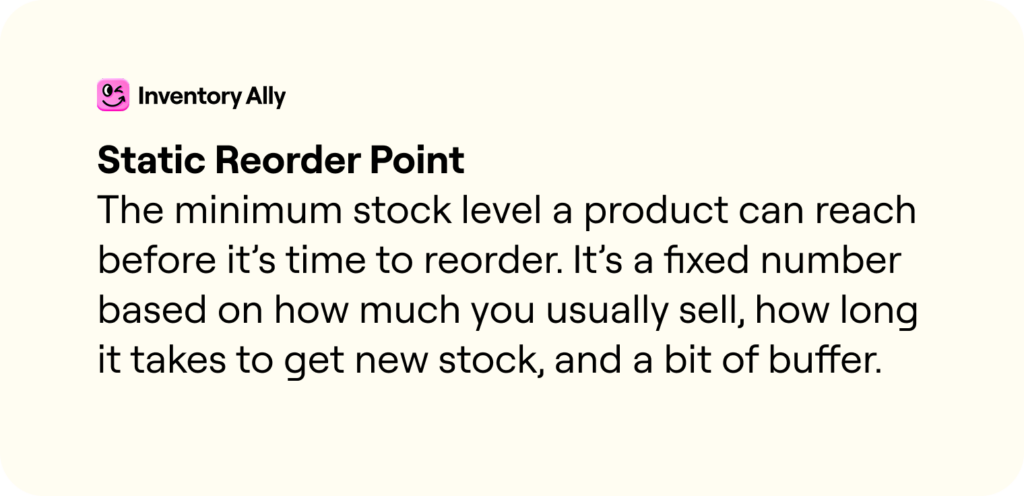
Most PIMS inventory modules rely on static reorder points: you manually set a minimum quantity for each product, and when stock drops below that threshold, it triggers a flag to reorder. This approach has a few critical weaknesses.
- Setting static reorder points requires someone to manually calculate and enter a minimum threshold for every product in your formulary (which could be hundreds of items!) and then keep updating them as your practice changes.
- Static points don’t adjust for seasonality. A heartworm preventive you fly through in spring sits at the same reorder threshold in January.
- They don’t adapt when your practice grows, adds new services, or shifts its caseload mix.
- Keeping them updated is an ongoing, manual task that almost always falls behind the reality of your practice.
As a result, practices fluctuate between overstocking and understocking, tying up working capital in excess inventory one month, scrambling to place emergency orders the next.
The Hidden Cost of “Good Enough”
Inventory that isn’t actively managed tends to leak money in ways that are easy to miss until you’re staring at a P&L and wondering where the margin went. Expired products. Shrink. Emergency order premiums. Excess stock that ties up cash. These are all direct hits to profitability.
Inventory is typically the second-largest expense in a veterinary practice, behind labor. For some practices, COGS runs at 25% or higher, and most of that excess isn’t one big problem. It’s a hundred small ones: a little too much of this, an emergency order for that, a product that expired on the shelf. What’s striking is how much room there is to improve once the guesswork gets taken out of the equation: practices that have made the shift have seen COGS drop by 3–5% and on-hand inventory shrink by $20,000 to $30,000, often within the first few months. That’s not a dramatic overhaul. It’s just what happens when the system is actually built for the job.
→ Read more: 3–5% Lower COGS, $30K Freed Up, Weekends Back: Goose Creek’s Success With Inventory Ally
So What Does Good Inventory Management Actually Look Like?
At its core, the difference comes down to one word: proactive. A PIMS records what happened. Good inventory management anticipates what’s about to happen, then does something about it before the shelf is empty or the overstock starts expiring.
That means working from a complete picture of your inventory, not just the portion that shows up on invoices. A significant chunk of what moves through a veterinary hospital never makes it onto a client bill, and if your system can’t see those, it’s navigating with half a map.
It also means learning your practice rather than making you configure it. The seasonal rhythms, the caseload shifts — a system built for inventory absorbs all of that over time and adjusts its recommendations accordingly. The longer you use it, the more accurate it gets. That’s a fundamentally different relationship than manually updating reorder points and hoping they stay relevant.
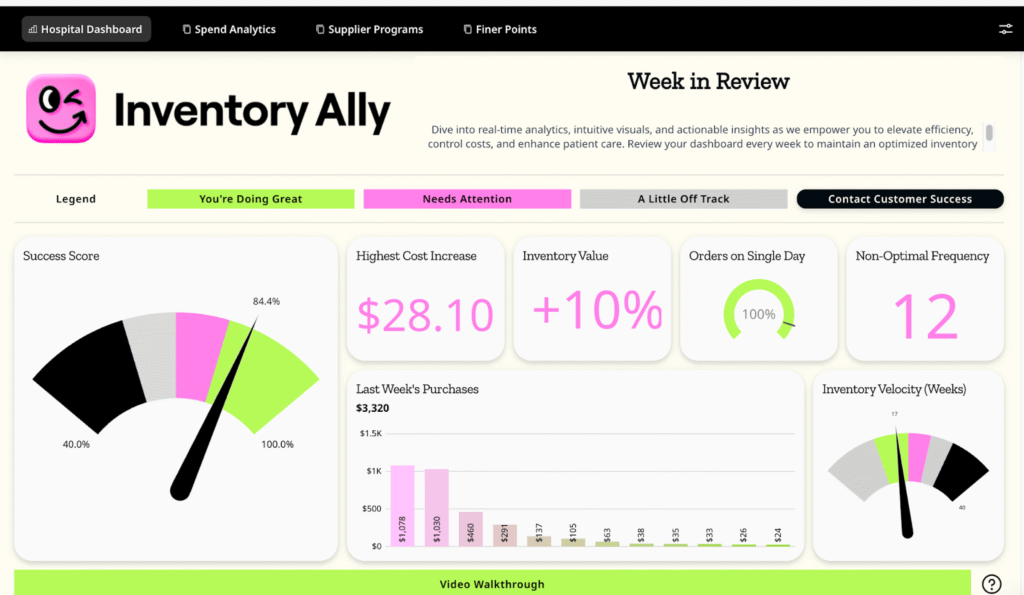
That’s what Inventory Ally was built to do. Not to replace the systems your practice already depends on, but to handle the part of the job that was always going to need its own solution. It connects to your PIMS and your order history, builds a continuously updated picture of your inventory, and turns that into a simple weekly workflow. The complexity happens in the background, so it doesn’t have to happen in your day.
The Bottom Line
Your PIMS is the operational foundation of your practice, and it should remain so. But just as you rely on specialized tools for diagnostics or patient care, inventory management performs best when supported by technology purpose-built to handle its unique demands.
Inventory Ally works alongside your PIMS pulling in your data, learning your patterns, and handling the parts of inventory that have always taken more time and energy than they should.
What that tends to look like in practice: fewer late nights chasing down what ran out and why, less mental overhead on ordering days, and a clearer sense of where your money is actually going. Your PIMS keeps doing what it does best, and inventory becomes, maybe for the first time, something that just works in the background instead of demanding constant attention.
Ready to see the difference?
If you’re curious what the numbers could look like for your specific practice, our free Inventory Calculator is a great place to start: just type in your data and see what’s possible.
And if you want to see it all come together in real life, we’d love to show you around! Book a demo and let’s talk inventory.