If you manage inventory at a veterinary clinic, you already know how quickly things can spiral. Supplies scattered across three rooms, expired vaccines discovered during a rush, and the dreaded mid-appointment realization that you’re out of something you need right now.
Most of these problems come down to organization, and fixing them doesn’t require a massive overhaul. Below are some ideas you can put into practice without any new technology, complicated systems, or weekend-long reorganization marathons. Start with the one or two that address your biggest frustrations, build consistency there, and then layer on more.
Storage & Layout

1. Zone your inventory by category
Give every product category a dedicated home: pharmacy in one area, surgical supplies in another, consumables in a third. When items have a clear “zone,” restocking becomes intuitive and things stop getting lost between rooms. It also makes delegation easier, since anyone can put stock away when the destination is obvious.
2. Put high-turnover items at arm’s reach
Your most-used products should be the easiest to grab. Eye-level shelves, front-of-cabinet placement, closest-to-the-door positioning — whatever makes the workflow fastest. Save the top shelves and deep storage for items you reach for once a week or less. A surprising number of clinics store things based on where they fit rather than how often they’re needed. It’s a small shift that saves real time across hundreds of interactions a week.
3. Label everything
A good label does more than name a shelf. Include the item name, the quantity you want to keep on hand (your par level), and a location code if you use one. This way, anyone on the team can glance at a shelf and know whether stock looks right without checking a separate list or asking someone.
A few labeling ideas that work well in practice:
- Color-coding by category — assign a color to each product type so anyone can identify the right section at a glance
- Expiry date stickers — add a visible sticker to each item when it’s received, showing the expiry date on the outside of the packaging
- Physical reorder tags — hang tags or colored tape on the shelf mark the reorder point. When stock drops to that level, it’s time to order. No counting required — it’s visual and instant
- Digital reorder markers — if you track inventory in a spreadsheet, use conditional formatting to flag rows when quantities drop below a set threshold. Same idea, just on screen
One practical tip: get the whole team involved when you set up your labeling system. If only one person knows how it works, it won’t survive a staff change or a busy week.
Counting & Tracking Habits
4. Switch to cycle counting
Full physical inventory counts are exhausting, and most clinics dread them enough to do them rarely. Cycle counting is the antidote: instead of counting everything at once, you count a small portion of your inventory each week. Rotate through zones or categories so that over the course of a month or two, you’ve covered everything with far less disruption to your day.
5. Assign specific zones to specific people
Counting works best when there’s clear ownership. When inventory is “everyone’s job,” it tends to become no one’s job. Assign each zone or category to a team member so they know exactly what they’re responsible for and when. This eliminates the “I thought someone else was checking that” problem, and over time, you will start spotting discrepancies faster because everyone knows their zone well.
A simple weekly and monthly checklist helps:
- Weekly: check reorder points, flag anything running low
- Monthly: full or partial stock count, check expiry dates
- Ongoing: label new stock properly, follow FIFO when putting items away
| ⚡ Quick Win Create a simple one-page count sheet for each zone with item names, expected quantities, and a blank column for the actual count. Print a few copies, keep them on a clipboard in the zone, and you’ve got a low-tech tracking system that works right away. |
Ordering & Restocking

6. Keep a running “want list” at the shelf
When someone notices stock is getting low, make it effortless to flag it. A whiteboard near the supply area, a clipboard on the pharmacy door, even a shared note on a tablet — whatever fits your clinic. The point is to capture needs in real time so they don’t get forgotten between the shelf and the ordering desk.
7. Set reorder points for your most-used items
Reactive reordering (ordering only when something runs out) is one of the most common and costly inventory habits in veterinary practices. Emergency orders are expensive, and running out of something mid-week creates stress that ripples through the whole team.
A proactive approach starts with setting a reorder point for your most-used items: the quantity at which you place a new order, with enough lead time for it to arrive before you run out. For smaller practices, this can live on a whiteboard or a simple spreadsheet. For each item, track:
- Current quantity on hand
- Reorder point (the trigger)
- Standard order quantity
It’s a simple system, but keeping it updated manually gets time-consuming as your product list grows. Static reorder points also have a ceiling: they tell you when you’re low, but they can’t account for seasonal shifts or changing usage patterns. It’s one of the reasons we built Inventory Ally around predictive ordering: rather than just flagging what’s running out, it forecasts what you’ll actually need based on how your practice really operates.
8. Pick one ordering day per week
Placing orders every time something runs low leads to a constant trickle of deliveries, receiving errors, and wasted time. Consolidating into a single weekly ordering day brings structure to the process. You’ll place fewer, smarter orders, reduce shipping costs, and have a predictable rhythm your whole team can count on.
Reducing Waste
09 Practice first-in, first-out (FIFO) rotation
When new stock arrives, move older stock to the front and place new items behind it. It’s a simple habit that prevents products from expiring unnoticed at the back of a shelf. For vaccines, medications, and anything with an expiration date, FIFO should be non-negotiable, and it only takes a few extra seconds per item during restocking.
10 Create an “expiring soon” section and track usage trends
Designate a visible spot (a specific shelf, a colored bin, a labeled section of the counter) for products approaching their expiration date. During your monthly scan, pull anything within 60–90 days of expiry and move it here. This makes it easy for the team to use these items first and helps you plan returns before it’s too late.
Beyond the expiry bin, pay attention to what’s piling up. If the same products keep showing up in your expiring-soon section, it’s usually a sign you’re over-ordering — and adjusting quantities solves the problem at the source.
This is also where usage data earns its place. Even a few months of logging orders in a spreadsheet reveals patterns: seasonal demand spikes, chronic over-orders, items you’re always short on. Inventory Ally builds these reports automatically, so instead of manually tracking every order, you get real-time visibility into trends, cost of goods, and waste, without the spreadsheet work.
Team Communication

11. Hold a five-minute weekly inventory huddle
It doesn’t need to be a meeting, just a brief standing check-in at the start of the week will work. What’s running low? Any issues from last week? Anything unusual coming up? Maybe a seasonal spike? Five minutes of alignment prevents hours of scrambling. Pair it with a simple shared log where anyone can flag inventory issues as they come up, and you’ve built a communication loop that keeps small problems from becoming big ones.
None of these ideas require a budget, a software license, or weeks of reorganization. They’re small shifts in habit and layout that compound over time.
The best inventory system is one your whole team can actually follow consistently, whether that’s a well-maintained spreadsheet today or dedicated software as your practice grows. Either way, the goal is the same: less guesswork, fewer surprises, and more time focused on your patients and your team.
Ready to optimize your inventory?
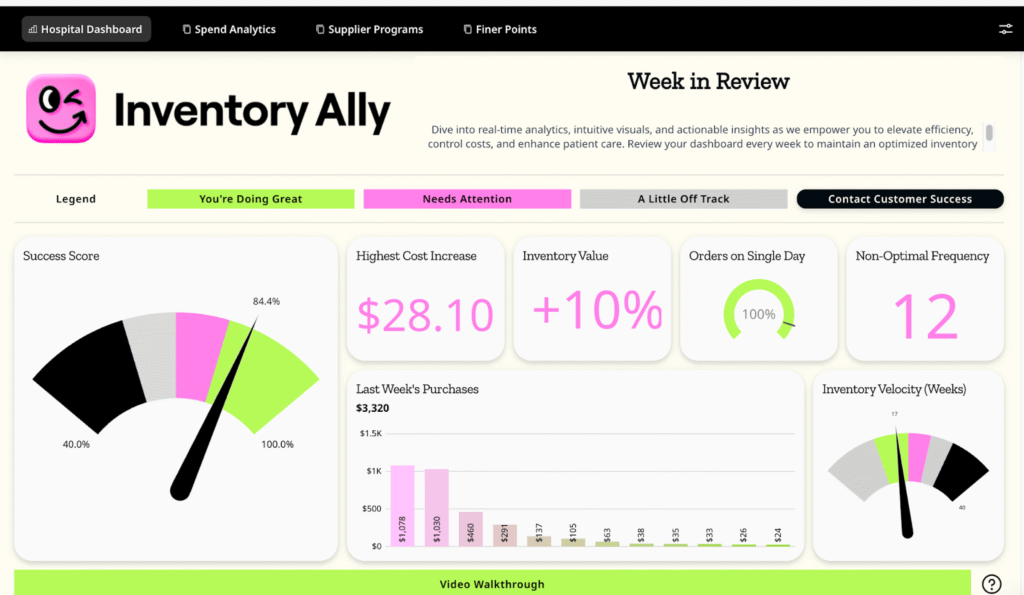
Inventory Ally automatically tracks key metrics like turnover rates, stockout frequency, and days on hand, giving you real-time visibility into your inventory performance without the spreadsheet headaches.
Whether you’re trying to reduce costs, eliminate stockouts, or just get a handle on what’s really happening with your inventory, we built the system to make tracking effortless so you can focus on action.